Read through the blog entries, menu-accessible pages and archives if you're interested! Welcome to Peter and Maureen's website.
 My Facebook Page
 Follow me on Twitter
 Join my network
Pete's Online CV
 Home Control over the Internet
Updated July 5, 2013
This article is about a practical home control system for the enthusiast and is being updated as new developments come along. Combining extremely low cost radio and inexpensive Ethernet, the system allows for mobile phone or tablet access to a range of items including lamp control (on/off/fade), temperature monitoring (and thermostatic control and general analog inputs)… and this is just the beginning:
 Recently I’ve turned to working with what are called “Arduino” chips and boards – actually the only “Arduino” bit I use is their boot loader routine – the boards I use are usually ATMEL chips on boards I’ve designed (or kluged)… the chip is a simple microcontroller (not powerful enough to call a “Microprocessor” but a hell of a lot nicer than the PIC chips we used a decade ago.
The Atmel chips are fun devices that are (relatively) easy to use and there are several boards available cheaply, mainly from China or Chinese companies in the UK that make this whole control thing worth looking at again. More’s the point there are lots of libraries – some working, some part working out there to save re-inventing the wheel.
The big issue for me has always been the wires. Much better to control stuff via, say, a mobile phone and have the units work by radio… but it has to be CHEAP to be worthwhile.
That is the basis of the project I’m working on right now. On the left you’ll see the first experimental screen of my Samsung S4 project (though it works seamlessly on any Android or iPhone-type device such as a tablet). For the purpose of experimentation, this screen is showing local 4 on/off type controls, 5 remote station on-off/off controls 4 remote on-off controls, time (from the base unit), temperature monitors from the base unit (internal/external) and temperature and humidity from a small unit at the end of the radio chain… but that’s just the start.
Note (July 5 2013) – I’ve made a decision, rather than continue to struggle with space on the master unit – and in order to use the same final circuit board on the master as will be used on the slaves – to eliminate IO control on the master – hence freeing up space. The master unit will concern itself with handling communication with the slaves, talking to the Internet and handling thermostatic calculations. After much thought this is the better way to go rather than having special cases all over the place for “local” controls. I did look at the MEGA boards with lots of extra room – but it makes sense to use one low cost board for everything – pointless jacking the price onwards and upwards.
The mobile DISPLAY is made possible by software which costs a pound or so called NETIO and is available for Android and iOS. It is a customisable App that works on the phone complete with web tools to develop such panels without programming as such.
 Essentially, the panel works by sending simple commands from the phone over WIFI or 3G to a web server running what is referred to as a WEB SOCKET – i.e. the basic underlying mechanism behind a web page but without all the extras – after all we’re talking simple commands here – it just needs to be very reliable.
And what and where is the “socket server”? It is software running on an Atmel chip of course – but the server is relatively simple (it’s actually complicated but we don’t need to know that as we just use a freely available library accepting commands and returning text responses). The rest of the code on the Arduino concerns itself with checking temperatures and firing off remote commands by radio to other boards. The App merely puts the end-user gloss on it. The radio is based on something I’ve written about before – RF24NETWORK which never worked properly in the past due to a minor issue in the underlying radio library and my own incompetence in not putting a smoothing capacitor on the radio board. But that’s all covered elsewhere.
Currently I have a board sitting on my bench talking to the App on my phone, over the Internet. On the top right you’ll see an image – I’m using a standard board for the purpose of experimenting – an Arduino Uno board at the back with an Ethernet “shield” sitting on top of it – together with a couple of test-wired Dallas 3-pin temperature-reading chips that look like simple transistors and actually only need 2 wires to work (but I’m using 3). In the foreground is a twin relay board of the type I’m using to control things such as lights or heating system thermostat replacement. I could just as easily use opto-coupled triacs. Note that the final unit has no wiring for LOCAL controls – these are all handled on the slave radio units.
In addition, there was enough room in the master board software to call an Internet TIME service and that keeps the local clock accurate – and also sends the time in the 4-byte time_t format to the slaves. As these have the real time clock software in them – they can be updated automatically by incoming packages – and hence use the time for whatever purpose…. providing time displays on household gadgets etc… one example – I have a SAD light in the bedroom which runs on a software clock only which in time becomes inaccurate – with the simple addition of the radio network and a little software, this when upgraded will keep perfect time.
 Note the yellow Internet lead and underneath (top picture) , a simple plug-in the wall power supply (5v) feeds the lot.
This is only for the purpose of testing and the hardware above probably comes to £30 – but an Arduino clone can be had for as little as £6 or so, while the “Ethernet shield” can be purchased from Ebay for maybe £13.
So you can see it is possible to put together something for very little money. I have looked at the cheaper ENC boards but they use up a considerable amount of RAM memory and hence any savings there would mean moving to a larger processor – defeating the object.
 The radio unit at the end of the chain shown below right costs excluding case and USB power less than a tenner. That board is the one supplying temperature and humidity readings in the top display. The blue item underneath is the temperature sensor.
The second screen on the right above is merely a test page showing 6 local slider controls and analog inputs from 5 boards – the last one being located way down the radio network chain at the other side of the house.
 So that gives us one card controlled by the Internet. How does that make a home control? The next stage is to have that card also talk to a wireless controller – to talk to other boards. The cost of wireless is similarly inexpensive but very limited.
The NRF boards will typically talk DIRECTLY to 5 other boards (they CAN talk to more but typical libraries out there limit themselves to 5) over the kind of range you’ll see for cheap home WIFI – i.e. not very far and definitely not through more than a couple of walls – what’s needed is a means to network them – and that’s where the software library RF24NETWORK comes in – a simple means to network dozens of these together. It may be in this case that the network is not needed – the fact that the main unit can talk to 5 other radio boards may well be sufficient and if not then simply relaying software from one to the next takes that up to 25 boards and way beyond.
The NETio designer is in touch and has been helpful. Next step is to fully test it on the really cheap Ethernet boards (done that but not yet happy about potential memory leaks). I’ve already had success with the radio boards and the rest is easy. Here are a couple of early blogs on the subject of the radio network… and with links to other resources.
Current prototypes feature:
2 12-bit analog inputs (had 4 but needed pins 0 and 1 to check serially…)
4 digital outputs
3 analog PWM outputs (ideal for LED LIGHTING by adding a MOSFET and 12v supply for the lighting – again a plug in the wall job)
2 DHT11/22 chip temperature inputs (I have implemented both humidity and temperature – could have used Dallas chips for temperature but this seemed like 2 for 1).
You can add as many radio boards as you need and each one has the same facility.
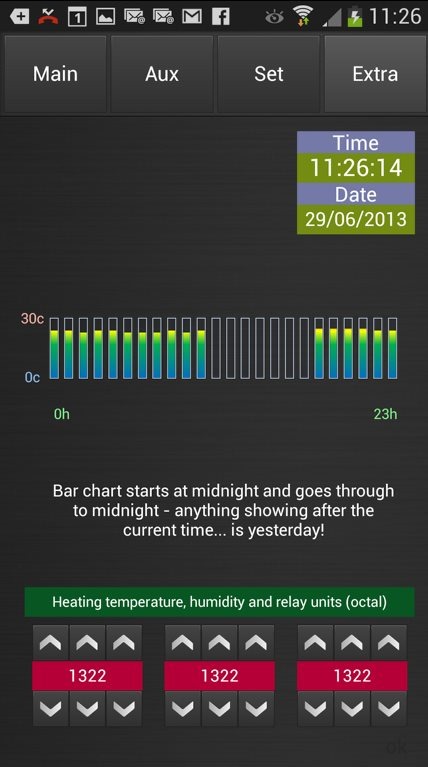
The THIRD screen (left, above) is the thermostat control page – I’ve added the ability to control a single remote relay as the thermostat chip - with the kind of control (heat delay etc) you’d expect from a Thermostat.
Alongside this I’ve asked the NETio designers if they will consider implementing MQTT – as this adds security – we already have MQTT working on the ENC boards thanks to a Saturday session with friend Jonathan Farmer and a lot of follow up work. For now my security consists of sending a special character string to allow access to other functions – that times out after 60 seconds unless refreshed by the App. Hey – it works!

Currently I have enough memory to do the job using the WIZ network card (hence saving RAM)… and ROM I’m up to 27out of 30.7k available.
The way this works (and I have a working setup on my desk)…. the units responds to commands such as x/OUT1=1 or x/OUT1=0 where x is the unit number in octal (base 8 – hence 0 1 2 3 4 5 6 7 10 11 12 etc)
 The word OUT1 on it’s own returns the status of that output – and so on. So 2/OUT1=1 would turn on output 2 on the radio slave “2” for example. In the picture above, lets say the radio board that has a blue arrow to it’s right is radio 2. To handle relaying of these short range radios, that radio can talk to radio “22” as well as 4 other siblings. – radio “22” can talk to 5 siblings – “122” through “522” etc., the further down the chain the more you add on the LEFT of the address. So 522/OUT1=1 would turn on the smallest board on the right, picture above, the 5th one.
So – at level 1 the base can talk to 5 units… next level in it can talk to 5+(5*5) = 30 units. At the next level 5+(5*5)+(5*5*5)=155 units – next level out increases dramatically to 780 units – ANY unit can talk to any other but the parents MUST be turned on (hey what do you want for a few pounds)… I think 4 levels (780 units) is likely sufficient (and polling such a large number would likely be impractical but it does give you a good hopping range given the limitations of the cheap radios) and in my prototype setup I can run a slider on the phone and vary the brightness of a LED on the farthest unit virtually in real time with only a tiny, fractional second delay.
 For an absolute minimal slave board you just need the radio and one of the small surface mount Arduino clones such as the one shown on the left here. We’re looking at no more than £6 plus power (5v – i.e. any old USB plug-in-the-wall supply available for less than £3) – this needs something like a relay to drive a lamp or heating – and that’s it – clearly if you want more – add more. That whole board is the size of my thumb!
And that’s it – the first fruits of this work will be to put temperature monitors and light/heat control in our rental cottage and our place in Spain so I have access to this and other information on the phone. Implementing a movement counter with a simple infra-red is another idea etc.… I need some boards first as right now this is all a bit too spaghetti. These are on the way.
Features include the ability to store in EPROM, settable remotely, the unit number from which to get the temperature for thermostatic control – and the unit which you need to talk to in order to turn the heat on by a relay. I’ve also clarified my worst fear – RF24NETWORK cannot handle sending out one communication after another while expecting to READ communications… so I’ve arranged that data is only initiated by unit 0 – which then always expects a response back. I’ve arranged a timeout for 0.2 seconds for expected data return before sending the next package out – obviously cancelling that delay when something comes in – with that in place and only with that in place I’m getting 99% reliability out of the radio packages. I’ve just added multiple retries (rarely needed) and with that I seem to be getting 100%.
Relay outputs by default are HIGH as most of the relays out there demand a pull DOWN to turn the relay on…!! There is the ability in the software to invert this.
And now a little history – you can stop reading now if you’re not interested but this might help to understand how I got this far… Once upon a time in the 90s, my business partner (of the time) and I developed a home control project called Appcon which consisted of a small board with various sensors and outputs – a triac (solid-state relay) to control, say lighting or heating, a temperature sensor, a general input and a speaker output. Click these pictures to see larger versions.
 This small board ran from 12 volts and connected to other boards via a 4-core telephone wire. at one end of the wire was a PC firing out commands, reading data and generally controlling the whole thing with a set of rules.
 It was developed on the original Windows 3.1 before the time of widely available Internet and LONG before we could buy cheap stuff from China.
This worked well, in my house in Newcastle I had around 40 of these cigarette-pack sized boards controlling just about everything from heating, lighting, burglar alarm, putting out “cricket” sounds in the garden, you name it.
The problem in developing this was the nature of construction – the fact that the boards had to be wired together was a real issue. In some homes it’s just not that easy to put a wire all over the place to connect everything together. It certainly is not in my stone-walled country cottage today.. I’d get shot!
The interface was good but as Windows matured it rapidly started to date and there was no such thing as a mobile phone interface! Today you would not think of using this (well, I wouldn’t!)
That product was GREAT fun and we sold quite a lot of them, but at the end of the day, home control remained a minority sport and we never did get this into the B&Qs of this world. Meanwhile, particularly in the UK, what’s out there remains expensive. Not too many people want to shell out £30-50 just to turn a light on and off!
Home Control over the Internet
Updated June 29, 2013
This article is about a practical home control system for the enthusiast and is being updated as new developments come along. Combining extremely low cost radio and inexpensive Ethernet, the system allows for mobile phone or tablet access to a range of items including lamp control, temperature monitoring (and thermostatic control and general analog inputs)… and this is just the beginning:
 Recently I’ve turned to working with what are called “Arduino” chips and boards – actually the only “Arduino” bit I use is their boot loader routine – the boards I use are usually ATMEL chips on boards I’ve designed (or kluged)… the chip is a simple microcontroller (not powerful enough to call a “Microprocessor” but a hell of a lot nicer than the PIC chips we used a decade ago.
The Atmel chips are fun devices that are (relatively) easy to use and there are several boards available cheaply, mainly from China or Chinese companies in the UK that make this whole control thing worth looking at again. More’s the point there are lots of libraries – some working, some part working out there to save re-inventing the wheel.
The big issue for me has always been the wires. Much better to control stuff via, say, a mobile phone and have the units work by radio… but it has to be CHEAP to be worthwhile.
That is the basis of the project I’m working on right now. On the left you’ll see the first experimental screen of my Samsung S4 project (though it works seamlessly on any Android or iPhone-type device such as a tablet). For the purpose of experimentation, this screen is showing local 4 on/off type controls, 5 remote station on-off/off controls 4 remote on-off controls, time (from the base unit), temperature monitors from the base unit (internal/external) and temperature and humidity from a small unit at the end of the radio chain… but that’s just the start.
Note (June 23) – I’ve made a decision, rather than continue to struggle with space on the master unit – and in order to use the same final circuit board on the master as will be used on the slaves – to eliminate IO control on the master – hence freeing up plenty of space. The master unit will concern itself with handling keepalive signals from the slaves, talking to the Internet and handling thermostatic calculations. After much thought this is the better way to go rather than having special cases all over the place for “local” controls.
The DISPLAY is made possible by software which costs a pound or so called NETIO and is available for Android and iOS. It is a customisable App that works on the phone complete with web tools to develop such panels without programming as such.
 Essentially, the panel works by sending simple commands from the phone over WIFI or 3G to a web server running what is referred to as a WEB SOCKET – i.e. the basic underlying mechanism behind a web page but without all the extras – after all we’re talking simple commands here – it just needs to be very reliable.
And what and where is the “socket server”? It is software running on an Atmel chip of course – but the server is relatively simple (it’s actually complicated but we don’t need to know that as we just use a freely available library accepting commands and returning text responses). The rest of the code on the Arduino concerns itself with checking temperatures and firing off remote commands by radio to other boards. The App merely puts the end-user gloss on it. The radio is based on something I’ve written about before – RF24NETWORK which never worked properly in the past due to a minor issue in the underlying radio library and my own incompetence in not putting a smoothing capacitor on the radio board. But that’s all covered elsewhere.
Currently I have a board sitting on my bench talking to the App on my phone, over the Internet. On the top right you’ll see an image – I’m using a standard board for the purpose of experimenting – an Arduino Uno board at the back with an Ethernet “shield” sitting on top of it – together with a couple of test-wired Dallas 3-pin temperature-reading chips that look like simple transistors and actually only need 2 wires to work (but I’m using 3). In the foreground is a twin relay board of the type I’m using to control things such as lights or heating system thermostat replacement. I could just as easily use opto-coupled triacs. Note that the final unit has no wiring for LOCAL controls – these are all handled on the slave radio units.
In addition, there was enough room in the master board software to call an Internet TIME service and that keeps the local clock accurate – and also sends the time in the 4-byte time_t format to the slaves. As these have the real time clock software in them – they can be updated automatically by incoming packages – and hence use the time for whatever purpose…. providing time displays on household gadgets etc… one example – I have a SAD light in the bedroom which runs on a software clock only which in time becomes inaccurate – with the simple addition of the radio network and a little software, this when upgraded will keep perfect time.
Note the yellow Internet lead and underneath (top picture) , a simple plug-in the wall power supply (5v) feeds the lot.
This is only for the purpose of testing and the hardware above probably comes to £30 – but an Arduino clone can be had for as little as £4 or so, while the “Ethernet shield” will hopefully be replaced by a cheaper Ethernet board which can cost barely more than £4. Currently the one I’m using is around £12 – but this is only needed on your main board! The slave boards are even more inexpensive as all they need is a radio card – and so you can see it is possible to put together something for very little money.
The radio unit at the end of the chain shown below right costs excluding case and USB power less than a tenner. That board is the one supplying temperature and humidity readings in the top display. The blue item underneath is the sensor – it is pointless putting it inside the case as any residual heat no matter how little in the circuitry will affect readings.
The cheap ENC network cards are not as easy to use for “web sockets” because a lot more is left to the  software (that’s why they are cheaper) and socket implementations to date have been few and far between but thanks to work by Peter Oakes in Canada who’s been helping me with this, it looks like the ENC board is cracked all but for a question of reliability – we have a working socket implementation using code originally written for the Nanode boards. Right now it falls over occasionally so I’m leaving it to one side while I get the rest perfected.
The second screen on the right above is merely a test page showing 6 local slider controls and analog inputs from 5 boards – the last one being located way down the radio network chain at the other side of the house.
 So that gives us one card controlled by the Internet. How does that make a home control? The next stage is to have that card also talk to a wireless controller – to talk to other boards. The cost of wireless is similarly inexpensive but very limited.
The NRF boards will typically talk DIRECTLY to 5 other boards (they CAN talk to more but typical libraries out there limit themselves to 5) over the kind of range you’ll see for cheap home WIFI – i.e. not very far and definitely not through more than a couple of walls – what’s needed is a means to network them – and that’s where the software library RF24NETWORK comes in – a simple means to network dozens of these together. It may be in this case that the network is not needed – the fact that the main unit can talk to 5 other radio boards may well be sufficient and if not then simply relaying software from one to the next takes that up to 25 boards and way beyond.
The NETio designer is in touch and has been helpful. Next step is to fully test it on the really cheap Ethernet boards (done that but not yet happy about potential memory leaks). I’ve already had success with the radio boards and the rest is easy. Here are a couple of early blogs on the subject of the radio network… and with links to other resources.
Current prototypes feature:
2 12-bit analog inputs (had 4 but needed pins 0 and 1 to check serially…)
3 digital outputs
3 analog PWM outputs (ideal for LED LIGHTING by adding a MOSFET and 12v supply for the lighting – again a plug in the wall job)
2 DHT11/22 chip temperature inputs (I have implemented both humidity and temperature – could have used Dallas chips for temperature but this seemed like 2 for 1).
You can add as many radio boards as you need and each one has the same facility.
The THIRD screen (left, above) is the thermostat control page – I’ve added the ability to control a single remote relay as the thermostat chip - with the kind of control (heat delay etc) you’d expect from a Thermostat.
Alongside this I’ve asked the NETio designers if they will consider implementing MQTT – as this adds security – we already have MQTT working on the ENC boards thanks to a Saturday session with friend Jonathan Farmer and a lot of follow up work. For now my security consists of sending a special character string to allow access to other functions – that times out after 60 seconds unless refreshed by the App. Hey – it works!

NOTE IN THE CURRENT WORK I’ve SCRAPPED IO shown on the master unit – I was determined to stick with the 328 and I was running out of both RAM and ROM. Currently I have enough memory to do the job using the WIZ network card (hence saving RAM)… and ROM I’m up to 26.6k out of 30k available.
The way this works (and I have a working setup on my desk)…. the units responds to commands such as x/OUT1=1 or x/OUT1=0 where x is the unit number in octal (base 8 – hence 0 1 2 3 4 5 6 7 10 11 12 etc)
 The word OUT1 on it’s own returns the status of that output – and so on. So 2/OUT1=1 would turn on output 2 on the radio slave “2” for example. In the picture above, lets say the radio board that has a blue arrow to it’s right is radio 2. To handle relaying of these short range radios, that radio can talk to radio “22” as well as 4 other siblings. – radio “22” can talk to 5 siblings – “122” through “522” etc., the further down the chain the more you add on the LEFT of the address. So 522/OUT1=1 would turn on the smallest board on the right, picture above, the 5th one.
So – at level 1 the base can talk to 5 units… next level in it can talk to 5+(5*5) = 30 units. At the next level 5+(5*5)+(5*5*5)=155 units – next level out increases dramatically to 780 units – ANY unit can talk to any other but the parents MUST be turned on (hey what do you want for a few pounds)… I think 4 levels (780 units) is likely sufficient (and polling such a large number would likely be impractical but it does give you a good hopping range given the limitations of the cheap radios) and in my prototype setup I can run a slider on the phone and vary the brightness of a LED on the farthest unit virtually in real time with only a tiny, fractional second delay.
 For an absolute minimal slave board you just need the radio and one of the small surface mount Arduino clones such as the one shown on the left here. We’re looking at no more than £6 plus power (5v – i.e. any old USB plug-in-the-wall supply available for less than £3) – this needs something like a relay to drive a lamp or heating – and that’s it – clearly if you want more – add more. That whole board is the size of my thumb!
And that’s it – the first fruits of this work will be to put temperature monitors and light/heat control in our rental cottage and our place in Spain so I have access to this and other information on the phone. Implementing a movement counter with a simple infra-red is another idea etc.… I need some boards first as right now this is all a bit too spaghetti.
I’m currently making mods to store in EPROM, settable remotely, the unit number from which to get the temperature for thermostatic control – and the unit which you need to talk to in order to turn the heat on by a relay. I’ve also clarified my worst fear – RF24NETWORK cannot handle sending out one communication after another while expecting to READ communications… so I’ve arranged that data is only initiated by unit 0 – which then always expects a response back. I’ve arranged a timeout for 0.2 seconds for expected data return before sending the next package out – obviously cancelling that delay when something comes in – with that in place and only with that in place I’m getting 99% reliability out of the radio packages. I’ve just added multiple retries (rarely needed) and with that I seem to be getting 100%.
And now a little history – you can stop reading now if you’re not interested but this might help to understand how I got this far… Once upon a time in the 90s, my business partner (of the time) and I developed a home control project called Appcon which consisted of a small board with various sensors and outputs – a triac (solid-state relay) to control, say lighting or heating, a temperature sensor, a general input and a speaker output. Click these pictures to see larger versions.
 This small board ran from 12 volts and connected to other boards via a 4-core telephone wire. at one end of the wire was a PC firing out commands, reading data and generally controlling the whole thing with a set of rules.
 It was developed on the original Windows 3.1 before the time of widely available Internet and LONG before we could buy cheap stuff from China.
This worked well, in my house in Newcastle I had around 40 of these cigarette-pack sized boards controlling just about everything from heating, lighting, burglar alarm, putting out “cricket” sounds in the garden, you name it.
The problem in developing this was the nature of construction – the fact that the boards had to be wired together was a real issue. In some homes it’s just not that easy to put a wire all over the place to connect everything together. It certainly is not in my stone-walled country cottage today.. I’d get shot!
The interface was good but as Windows matured it rapidly started to date and there was no such thing as a mobile phone interface! Today you would not think of using this (well, I wouldn’t!)
That product was GREAT fun and we sold quite a lot of them, but at the end of the day, home control remained a minority sport and we never did get this into the B&Qs of this world. Meanwhile, particularly in the UK, what’s out there remains expensive. Not too many people want to shell out £30-50 just to turn a light on and off!
This all sprang up from my original article on a cottage thermostat in which I envisaged a very simple controller. Then came the UberBareBoard article about an Atmega328-based Arduino clone, initial attempts to master the NRF24L01 radio and after this I wrote part 2.
Could this be the future of Tablets? The Samsung ATIV-Q
Just as you thought people were running out of new ideas, the launch of the Samsung Ativ-Q. This company really is on a roll at the minute. Very thin, VERY powerful and amazingly running Windows 8 – with Android 4.2 running as an APP (clever) at full speed (and with interaction between the two operating systems, the tablet offers a stunning 3,000 pixel across resolution. Could this be the future? Instant flicking between the two!! No pricing yet but do look at the video!
http://www.engadget.com/2013/06/20/samsung-ativ-q-hands-on-with-the-new-windows-android-slider/
Another fine day in Spain
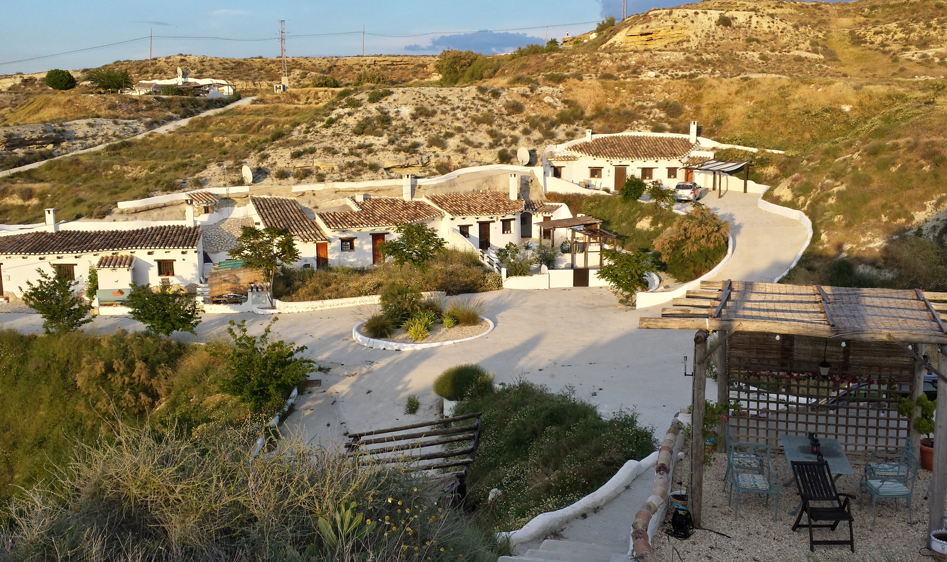
It’s certainly not peak summer weather but with the temperature topping at 25c today with clear skies for most of it, certainly a relaxing day. The solitude part (that never was) of my trip is over, tomorrow I pick up Maureen and some new gadgets (more on that later).
Today I did very little, got up late, did a load of emails, grabbed some sun, checked out the electrics but as for achieving anything… hmmm.
Tomorrow is another day, off to the airport sharpish to get a little shopping at the coast then pick up Maureen and then possibly head off to the nearest garden centre. We finish the night off with a BBQ with friends and if the weather keeps up that’ll be just marvellous.
Gutted to discover that Tesco’s new on-demand movie software seems to be able to see past a UK VPN (how DO they do that)… but I’m not really here to watch movies so that’s no big loss.
Have a great weekend, all.

The future’s not bright with THREE either
I have just had the most terrible afternoon at the hands of THREE – with what is laughingly called “Customer support”.
After having owned an iPhone 4 with THREE for two years it came time a few weeks ago to upgrade the phone. I chose the Samsung Galaxy S4.
This was promised for 26th of April as an upgrade, in writing – for no charge other than a £4.99 service charge.
Accordingly I sold my iPhone. That left me phoneless after the 29th of April. I added 3 days “just to be sure”.
I stayed in on Friday 26th of April only to discover that THREE’s supplier (Samsung) had messed up – of course that’s still THREE’s problem – they were supposed to inform customers of the delay by text. They did not inform me.
The next promise which came via their Twitter “support” was “By 3rd of May” – well, on the 3rd of May, after waiting in most of the say I sat there for hours on the phone to THREE having failed to get anywhere with their online support or Twitter. No emails, nothing.
I started the call earlier Friday afternoon on 3rd. – Around 2.50pm I started the conversation with “support” – you’ll see the number and timings below in my phone bill. Firstly they could find no record of my upgrade in their account – at which point I became less than patient as I was sitting in front of the upgrade document and delivery date with my personal details. I really wish I’d recorded the whole thing.
Then they found my account and started telling me the upgrade was £45 for the handset – I said that was NOT the case and I had my order to prove it.
Finally they said they’d upgrade the call to a higher level (THREE store support line) – and promptly put me on to the wrong people who AGAIN apologised and put me on hold.
I’d now been on the phone so long I ran out of Skype credit – and had to ring back. I got the SAME QUESTIONS ALL OVER AGAIN… at this point I asked them to upgrade the call to someone responsible – and there I sat, paying for a call to listen to music, again.
By 4.43pm I was starting to grow weary talking to the THREE Store support line. I’d been on this for around 2 hours now, at 5p per minute.
Once again they put me through to the WRONG department who were ONCE AGAIN going to put me through to the right department. More music – more cost, more time.
The new guy had my NAME down as something else…. he said I cancelled the phone – but the name he had for me was wrong… someone I’ve never heard of – we tried again…
I asked if I was on candid camera but I don’t think he’d ever heard of that… so then they found my proper account (I only have one) – 5pm – no chance of a delivery – all of this checking and getting wrong despite my postcode, date of birth, name, phone number asked for TIME and TIME AGAIN.
Next, it seemed I’d been connected to the wrong department – he put me on hold while he connected me to the “right department..”
You ready for this….
“Please listen carefully to the following details…..” _ – I’m was then told by an automated female that the home broadband system costs money to use (WHAT???) – I’m not using it… I was wondering to myself… I’m getting this message for WHAT reason? I’m on a landline number… what does this have to do with broadband??
Someone was taking the mick…surely…
and – at the end of that – the machine terminated the call.
Start again…
5.05pm – “we’re getting a lot of calls right now….” –
5.08pm – I talked to someone who then checked and… He AGREED I’ve upgraded…. agreed it should have been there 26th –then – name, date of birth, postcode. But then.. he could not find the upgrade. Maybe there was a language issue here – I certainly was not talking to anyone local. I told him again “I have the ORDER IN FRONT OF ME”.
He was going to have to talk to the online upgrade department – he could not get to my details because I upgraded online… more music at 5.12pm
5.14pm – he was going to connect me to the upgrade department. More music – same track I’d been listening to all afternoon.
5:17 “thank you for your patience – upgrades are busy at the minute… online have no idea whatsoever”. He transferred my call…. I was supposed to tell them I upgraded online – tell them to do a conference if they are going to transfer the call and not just to pass me on” – all of that went straight over the next fellow’s head.
5.19pm – “Your call is in a queue and will be answered shortly”.
5.19pm – “All our advisers are currently busy”…
5.24pm – another Indian lady wanted my postcode, date of birth, shoe size…. and then…. she could find no record of the upgrade – for the 4th time I pointed out that I was sitting in front of the order from THREE sent on 15/4/2013 – “Your ORDER” – with the details of my upgrade that should have arrived on 26/4 and then again today…
It was now 5.28pm – I was looking for email addresses of the other large phone companies so they could share a laugh… by now I was overtaken by feelings of vengeance – how can any company be so incompetent.. but it got worse…
5.33pm – Mr Scargill – please bear with me for a few moments…… it’s a different channel – we have a different stock availability to other departments – I will have a chat to my manager…… (she had the whole sordid history in front of her and did not want to transfer me again….) music…
5.38pm – music continued….I could have done with coffee but could not leave the computer or I might’ve missed a response…
5:44 – I could not quite understand what she was saying – apparently her manager said the deal had CHANGED and there’s a £49 charge for the phone… that’s not on my order, I said and it’s not what the web says either… and she wanted me to wait until Wednesday… I told them I would not pay a charge for the phone and I needed to get  one the next day as I’d be away on business all the following week. Then there I was, back on hold while she talked to her manager….or went to the toilet – or whatever excuse.
Meanwhile at Carphone Warehouse… no charges for the phone – AND a Bluetooth speaker thrown in…
5.46pm – she could send a phone out and I would get it Wednesday… or I could wait 48 hours by which point it would be a bank holiday – she did not know that – but then why would someone half way across the world know that. I imagined waiting another week…
Nothing back from the online support on Twitter and no-one was reading the Facebook site by the look of it.
5:50pm I was back listening to music while she upgraded the call – again.
6.00pm “To be honest and precise with you there is nothing I can do from my end as this is done online” – I first asked him to clarify that I was not hearing things, then tried to explain I’d been on for two hours… nothing…. … this guy was some kind of machine perhaps, unable to move out of a pre-programmed route. AFTER TWO HOURS…NOTHING – ZILCH – a man with no power to do anything.
I put the phone down rather than lose it completely – I needed coffee.
Here are the phone costs to THREE’s ABYSMAL support to achieve nothing.

Saturday morning I rang the THREE store in Gateshead and indeed the phones were in stock – they needed me to confirm that an upgrade was not already in place. I assumed after that fiasco that an upgrade WAS still in progress – after all I had the order in my hand.
I went online to cancel the upgrade… no way to do that and guess what – live support isn’t available at the weekend.
I rang the 333 number and an Indian fellow listened carefully after taking my mobile number, full name, postcode and date of birth – again. He then transferred me to an advisor (music) who then took my mobile number, full name, postcode and date of birth – again. She put me on hold while she transferred me to the correct department. When I got through and after taking my mobile number, full name, postcode and date of birth – again, they said this was the wrong department and would have to transfer me.
Finally they put me through to someone who checked my account – again and said there was no record of an upgrade in progress. I was very specific – does this mean I can go to the THREE store and simply upgrade the phone. YES SIR, he said. Of course if the PREVIOUS operator was correct, they’d have no record of my order anyway so he was probably talking tripe.
I went along to the Gateshead store who confirmed that online upgrades might be free – but THEY would have to charge me £49 for the phone. Of course I was being served by a new trainee, his only advantage over the people on the phone being a clear English voice. Well, to be fair to them, the fiasco was not THEIR fault. I took the phone and they helpfully gave me the address for complaints to write to so that I might endeavour to get the £49 and my phone bill back.
Monday 6th May I received a call from the THREE complaints centre – and received exactly the same nonsense as before, after giving my name, postcode and date of birth (remember – they rang me!!) the Indian gentleman proceeded to tell me why they could NOT help me, why they could NOT refund the money. He told me that this was because I had cancelled the online order. He seemed utterly oblivious to the fact that I’d cancelled it BECAUSE Three online could not complete the order for which they’d sent me confirmation on 15th April. I ended the call, this was pointless.
Tuesday 21st May I was sitting in Spain minding my own business when a call came in – a nice friendly lady from Scotland representing THREE. They had received my letter. She explained that she was investigating why they seemed to be unaware of my order at times – I pointed to the Facebook site – lots of people seem to have come across similar issues with bad communication from THREE. Anyway, at last the voice of reason, she’s refunding what I paid at the store plus my phone calls. My time will never be recovered but I guess that’s at least a reasonable attempt to resolve the issue – personally I’d be sacking the calls centre as well but I guess that’s a step too far. So now I have my lovely S4 phone, they did help me to get the phone working on the Home Signal box… and all’s well…
Peter Scargill elected as FSB National IT Chairman
Another year goes by, they seem to get shorter every time. We’re sitting in the FSB’s annual elections and I’ve just been re-elected as National IT Committee Chairman (unopposed) for another year. This allows me to continue the many IT projects I’m working on and also to continue my work in Communications within the organisation. This, along with my new EU role in the ESCO project should keep me busy for another year.
A very pleasant day
I travelled down to London yesterday for the Internet show in Earl’s court. Long overdue for catching up with the latest due to being bogged down with work most of the time, I took a member of my committee along with me to go see what’s new and hopefully bring home some new ideas.
 We started the trip last night at Brick Lane in London -the weather there right now is fabulous – I took the tube from Victoria to Aldgate East and walked the rest of the way with thanks to Google maps on the phone. I met up with the guys at a pub called the Princess Alice where we had a couple of beers before heading off to Brick Lane and the myriad of Indian restaurants therein.
We usually end up at the same place and so it was that we got our free beer, free starters and 20% off – it takes no bartering at all to get this. Cracking night with a fellow techie.
This morning we were up sharpish and off down from our hotel in Victoria – the Double Tree in Bridge Place, to head off on the tube to the event.
 Internet World was not as big as I’d hoped – some day I must go to one of those shows in Europe – we managed to get through it in the morning rather than the whole day but in the process, met some good contacts, I certainly gained some great ideas and generally got up to speed with what’s out there. As well as business-oriented stands the people from “The Internet of Things” were there with some fabulous Internet-connected toys.
That left only one thing to do – get back to the office in Victoria… grab some kit and head off home. As we were sitting in Earls Court having a bite to eat for lunch – and being as it was a lovely day, having no idea of distances I suggested a walk to the Thames – and that became the start of a nearly 4 mile walk along the Thames and back up to Victoria – for which I am now  suffering.
On the way back I had to walk through the Centre for Life in Newcastle and there was a big sign up advertising Maker Faire this weekend which is all about robots, 3d printing machines and other interesting stuff so I’m sure we’ll end up there at the weekend… but first there’s the slight matter of the Iron Man 3 movie!

Bejewelled Blitz–Tactics
 I’m often asked how I manage high scores every now and then on Bejewelled Blitz on Facebook. For those not in the know, this is a great game that takes exactly one minute to play – and is your classic colour matching game.
So here’s the deal. Always get your daily spin. You might get a lot of points out of it – and in order to take advantage of some of the best offers you need at least 25,000 points. Best to have 30,000 points. Don’t waste them.
 If you see any MESSAGES – read them – they might be free points. It’ll be obvious if there are messages as a number will come up over the “messages” icon on the left here.
Sometimes I grab the centre boost – which allows you to scramble the gems a couple of times a game. If you get part through a game and you are struggling to find matching sets…. either use this to give you a fresh start – or frankly scrap the game – you really cannot get a decent score if you end up sitting looking at the game – wasting your time – you should be constantly moving gems throughout the game and if you’re not – you’re not going to get a high score.
 Try to make sets of 4 gems. Often you have a chance to make one of several moves- make sure you don’t miss a possible set of 4.
At the end of some games you will see all sorts of offers as on the right here – the only one I take is the cat’s eye and only when it’s on offer at 25,000 points or LESS – it does vary!
Don’t forget – when offered – claim those rewards…. and if you’re having a bad day, GIVE UP – your concentration is gone – save up the points and remember that d aily spin.
At the end you see a game that’s not gone badly – the score is 114,000 – had I had a Cat’s eye at the end of that, it’s possible the final score would be at least double – sadly on this occasion I don’t – but it is easily possible to exceed 200,000 without any of that stuff. It just helps.
 All trivial stuff – it’s just a game – but it is quite addictive – something I put down to the music and the great motivating voice!
Have fun. Regards – Peter Scargill.

A Sunny Weekend in Wark and Google+ Business Pages
 It’s amazing what a spot of sunshine can do… solar lights that have been in hibernation for months suddenly spring to life… the lamp on the right hasn’t been this bright since it came out of the box. In reality it’s so good it’s almost worth drilling a little hole through the corner of the window to put it’s solar panel outside.
Meanwhile a whole army of external solar lights are out there being tested – we’re planning on moving in the not too distant future and I’m only taking lights that work perfectly – the rest are going in the bin – so they’re all on trial right now. Meanwhile my own design is sitting languishing in my office as the controller which is supposed to stop the batteries getting flat isn’t quite doing the job. I’ve had so much to do recently it’s on the back-boiler for now.
 After a busy week which saw me once again over in Blackpool (and I must say quite enjoying the meetings I either attended or ran) but I’ve a few days at home to catch up. I came back to find that some mangy feral cat had managed to get past our magnetic cat-flap, into
  the bedroom and sprayed the bed cover – that’s currently in the queue at the dry-cleaners at a whopping £27 to sort out – I had no idea they charged that much!
Said cat is now on my hit-list though how I’m going to capture him is another matter – he’s way too quick for me.
Meanwhile I’ve been tackling a thorny problem with Google+
Google have been trying to muscle in on Facebook for some time now and they’ve brought together their Google+ product along with Google Web albums and others all into the one place. And that’s great – you have a profile just as you do with Facebook – but unlike the latter, Google have not quite gotten their act together yet. Facebook is about people, not companies- so if you want to promote your company or product you need to create a Facebook PAGE with it’s own photos, discussions etc…
Google have done the same thing but not quite finished it off yet. The problem is with photos – one of the finest tools you can get for handling online photos is the free Picasa – which lets you put your pictures into albums – edit them and sync them to the web – in fact it’s such a good combination that it works really well – except… Picasa won’t even look at Google Business Pages – it does not even know they exist. Which is fine unless you happen to have put hundreds or thousands of photos into your profile account before realising they are in the wrong place. If you’re looking for a way to do this – forget it – here’s what I ended up doing.
I downloaded all the albums, via Picasa to my PC. Right now the only way to get them into the Business pages account is then to go to that account – and upload the albums one at a time via the web interface. TRUST me – at the time of writing that’s the only way to do it. If you’re planning a Google+ Business page – take my advice – leave the profile well alone – put nothing in it and do EVERYTHING in the Business page – even though the tools are not yet there – much easier than the hours I spent moving the stuff after the event!
Ultimately one assumes Google will get their act together some day (just like some day they’ll add bandwidth throttling to the otherwise excellent Google Drive which right now sucks the life out of your PC whenever it starts backing things up).
Technology
Don’t you just love technology – especially when it goes wrong.
Some time ago now, having discovered that Google Alerts doesn’t really work that well any more – probably due to Google getting rid of the Google Reader…. I switched to another program – and cancelled Alerts I had in my name (they kept getting it wrong anyway and giving me alerts for another Peter Scargill – a racing reporter)…
 So this morning – despite scrapping the lot, this alert came in… I thought for a moment that I may have forgotten to cancel this one – so looking in the email, there’s a link that says “Manage your alerts”. I clicked on the link and sure enough….

As if that wasn’t a bad enough start, I noted that my sister Mary had taken a photo of my wife Maureen and put it on Facebook – Maureen is over in the states at the moment on holiday.. I went to the photo, clicked on Maureen’s face and tagged it with her name. What do I get in the email?

Erm, sorry, WHAT? No she didn’t !! And the thing is there’s not much you can do when this stuff goes wrong.
While I’m on – you may have seen me getting excited about Pokki – which at last appears to be a way to get a Windows START button onto Windows 8 and get rid of the pesky swipe actions which make using the trackpad almost impossible on a no-touch-screen tablet (i.e. the majority of them). Well, I checked and they do a Windows 7 version – with another piece of free software called Start Killer, you can delete the Windows ORB…. and now it’s not necessary to run Rocketdock to get the shortcuts. This is so intuitive it makes you wonder why Microsoft didn’t do this…
 Ok it’s not as pretty as the ORB but it’s a hell of a sight more useful and adjustable.

As you can see on the left, when you click on the new icon – you get your usual tools on the left (you select which ones you want) – and favourites you want on the right – you don’t have to go looking for them – under all programs you get to see everything you’ve installed – and there’s a “favourites” star to click if you want the item shown here.
Marvellous.